Wet signature vs electronic signature, plus dry and digital explained
Someone asked for a wet signature and you're not sure a signed PDF counts. Here's what wet, dry, electronic and digital signatures each mean, in plain words.
The wet signature vs electronic signature question usually starts with a form. A bank, a landlord or an HR department asks for a "wet signature", and you're left wondering whether signing the PDF counts. Short answer: a wet signature is ink on paper, signed by hand, and nearly everything else is some kind of electronic signature. Whether that matters depends on who's asking.
What is a wet signature?
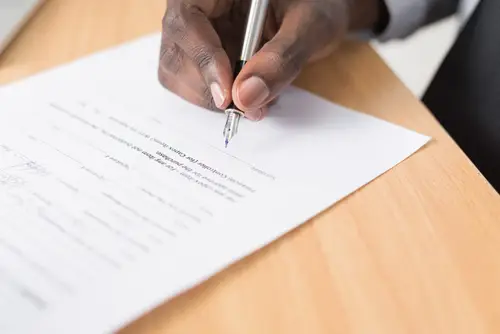
A wet signature is your signature written by hand, in ink, on paper. It's called "wet" because the ink has to dry. You'll also see it called a wet ink signature, and it means the same thing.
You've made plenty of them: signing a mortgage at a closing table, signing a will in front of witnesses, printing a form, signing it and putting it in the mail. Before pens were everywhere, stamps and wax seals did the same job.
So what about scanning it? If you sign a page in ink and scan it or take a photo, what you send is an electronic copy of a wet signature. The page you signed is still the original. That's why someone who wants a wet signature sometimes asks for "the original" in the post, not just a scan.
What is a dry signature?
Dry signature isn't a legal or technical term. It's just the opposite of wet: any signature that didn't involve putting ink on paper. When people say it, they almost always mean an electronic signature. If a form asks whether you signed "wet or dry", it's asking whether you used a pen or a screen.
What is an electronic signature?
An electronic signature is the big umbrella. It's any way of showing you agree to a document on a phone or computer. That covers a lot:
- typing your name into a box at the bottom of a form
- drawing your signature with a finger or a mouse
- ticking an "I agree" box
- adding a picture of your handwritten signature to a PDF
- clicking through a signing request in an e-signing app
Is DocuSign a wet signature? No. Signing in DocuSign, or any app like it, is an electronic signature. "Wet" only ever means pen on paper.
What is a digital signature?
A digital signature is one particular kind of electronic signature. On top of showing that you agreed, it proves who signed and that the file hasn't changed since. It does that with a certificate, a kind of digital ID issued to the signer, that's tied into the file.
You can usually spot one. Open a digitally signed PDF in a PDF reader and you'll see a signature panel, or a banner saying the document is signed and the signature is valid. Change the file after it's signed, and the reader flags that the signature no longer matches.
The easy way to remember the difference: an electronic signature shows you agreed. A digital signature also proves the document hasn't been touched since.
People use "digital signature" loosely, though. Plenty of sites and apps say "digital signature" when they mean any e-signature at all. If a form specifically wants a certificate-based digital signature, it'll usually say so.
Wet signature vs electronic signature, side by side
| Wet signature | Electronic signature | Digital signature | |
|---|---|---|---|
| What it is | Your signature in ink on paper | Any way of agreeing to a document on a device | An electronic signature backed by a certificate |
| How you make it | Sign with a pen | Type, draw, tick a box or click through an app | Sign with software that holds your certificate |
| What you need | A pen and the paper | A phone or computer | A certificate issued to you |
| What shows it's yours | Your handwriting, sometimes a witness or notary | The signature itself, and often a record of when it was signed | The certificate, checked by the PDF reader |
| Everyday example | Signing at a mortgage closing | Signing a lease PDF you were emailed | Signing a form with a government-issued digital ID |
Each one has its trade-offs. Paper means printing, signing, then scanning or posting it back, and a page can get lost on the way. An electronic signature takes a minute and leaves you with a copy. A digital signature is the only one of the three that shows whether the file was changed after it was signed, and it needs a certificate to make.
When you might still need ink
Some documents and some organisations still want a pen. The usual ones:
- wills and some estate papers
- some family-law documents
- documents that need a notary or witnesses
- some lenders, for loan or mortgage paperwork
The rules depend on where you live and who's asking, and they change. So the useful move is simple: ask whoever wants the signature which kind they accept. If the answer is ink, print it, sign it, and send back what they ask for.
Signing a PDF with PrintFriendly
Here's what we can help with, whichever way it goes.
Signing electronically. Open Sign PDF and drop your PDF in. Then:
- Click Sign in the toolbar.
- Draw your signature or type your name. You can also upload a picture of your handwritten signature.
- Click the page where the signature should go.
- Click Download. In the menu, Lock annotations is ticked already, which makes the signature part of the page so it can't be moved or deleted in another PDF reader. Then choose PDF.
Signing is open to anyone. Downloading the signed PDF takes a free account. The details are in What Each PDF Tool Does.
Sign PDF adds an electronic signature, typed or drawn. It isn't a certificate-based digital signature.
Signing in ink. Print the page, sign it with a pen, and turn the paper back into a PDF with Scan to PDF. It uses your phone's camera and straightens the pages for you. On a computer, point your phone at the code on the page and the scan shows up on your computer.
Signed a PDF somewhere else and want the signature fixed in place? Flatten PDF makes signatures, notes and filled-in fields a permanent part of the page.
Frequently Asked Questions
Is an electronic signature the same as a wet signature?
No. A wet signature is ink on paper, signed by hand. An electronic signature is made on a phone or computer. Plenty of places accept either, but some still ask for ink, so check with whoever wants it.
What is a dry signature?
It isn't a formal term. It's just the opposite of a wet signature: any signature that didn't involve ink on paper. In practice people mean an electronic signature.
Is DocuSign a wet signature?
No. Signing in DocuSign or any other e-signing app is an electronic signature. A wet signature means a pen on the actual paper.
Can a wet signature be electronic?
Sort of. If you sign a page in ink and scan it, the scan is an electronic copy of a wet signature. The paper you signed is still the original.